Tools and output
Checking a tree for gaps, getting it out of Salasilah, sharing it, calculating faraid, and telling us when something is wrong. The last of six guides to the tree workspace.
The tools in the toolbar
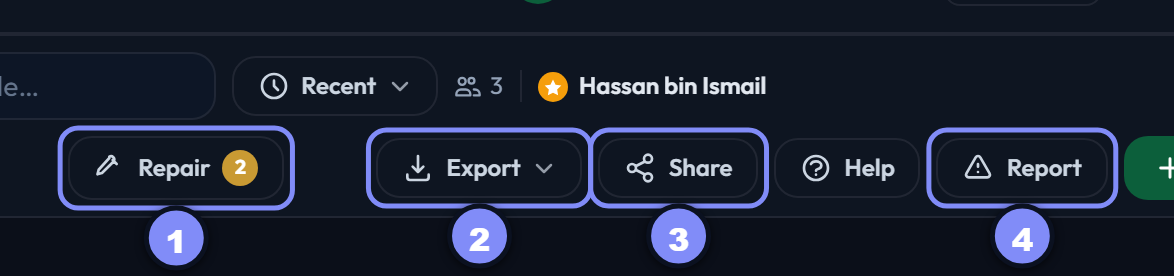
Four of the five live in the toolbar's second row; the fifth (Faraid) sits on each person's card. None of them change your tree — they check it, copy it, or send it.
Checking your work
Repair
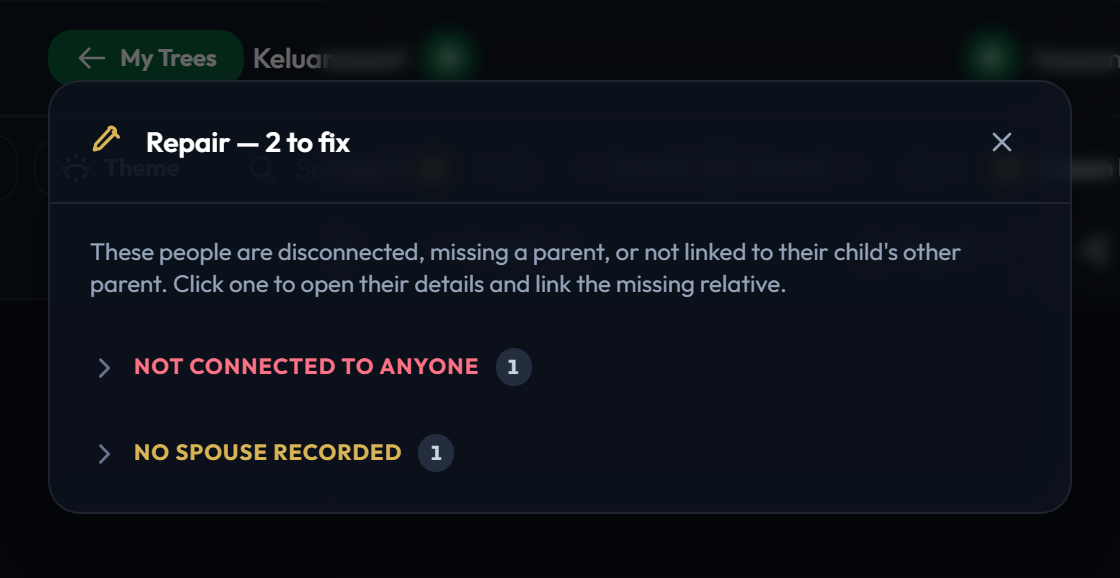
Lists people the tree can tell are incompletely joined up: not connected to anyone, missing a parent, or not linked to their child's other parent. The number on the button is how many.
Click any name to open that person so you can add the missing link.
A person who is not connected to anyone is also invisible to the Everyone view, since that draws the family reachable from the subject. Repair is how you find them.
Getting the tree out
Export
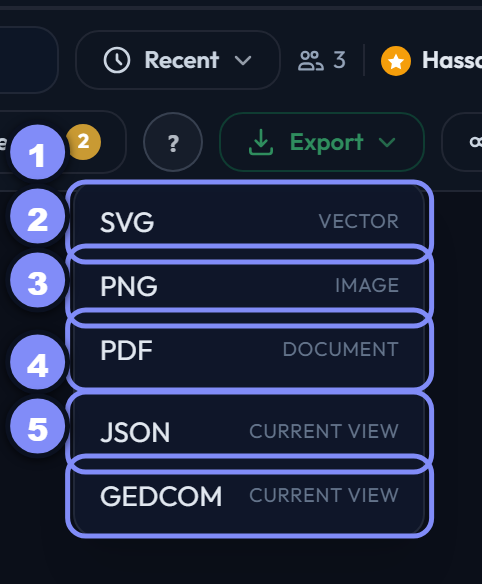
Five formats in two groups. The numbers below match the numbers on the picture:
- SVG — a drawing that stays sharp at any size. Best for printing large.
- PNG — an ordinary image, easy to paste into a message or a document.
- PDF — a printable page in light colours and landscape, ready to hand out.
- JSON — the data: the people on screen and the links between them, and the only format Salasilah can import back.
- GEDCOM — the standard genealogy interchange format, for moving people into other family-tree software.
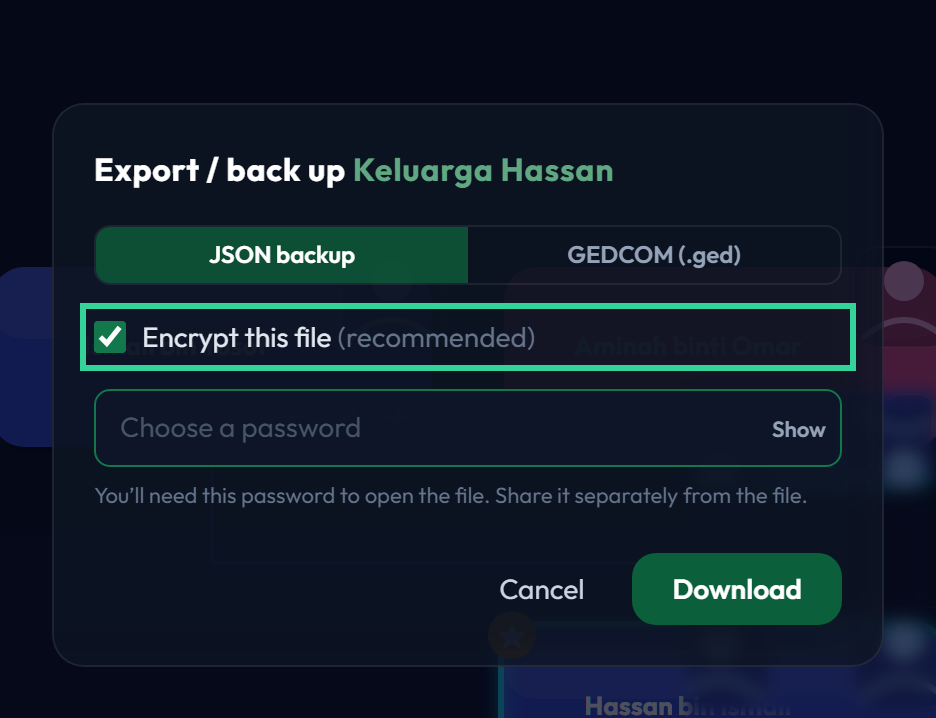
Choosing either data format opens the same dialog as Backup on the dashboard — the same options and the same protections, just scoped to what you are looking at.
Encrypt this file is ticked by default. You choose a password, and the file is locked with it — Salasilah's importer will ask for that password when you restore. Untick it and you get plain JSON, which anyone who has the file can read.
GEDCOM is never encrypted — it is a plain-text interchange format and includes living people's names, so store and send it carefully.
Which one do you want?
To show someone the tree, PDF or PNG. To print it big, SVG. To hand a branch to a relative, JSON — encrypted. To move people into other genealogy software, GEDCOM.
Share
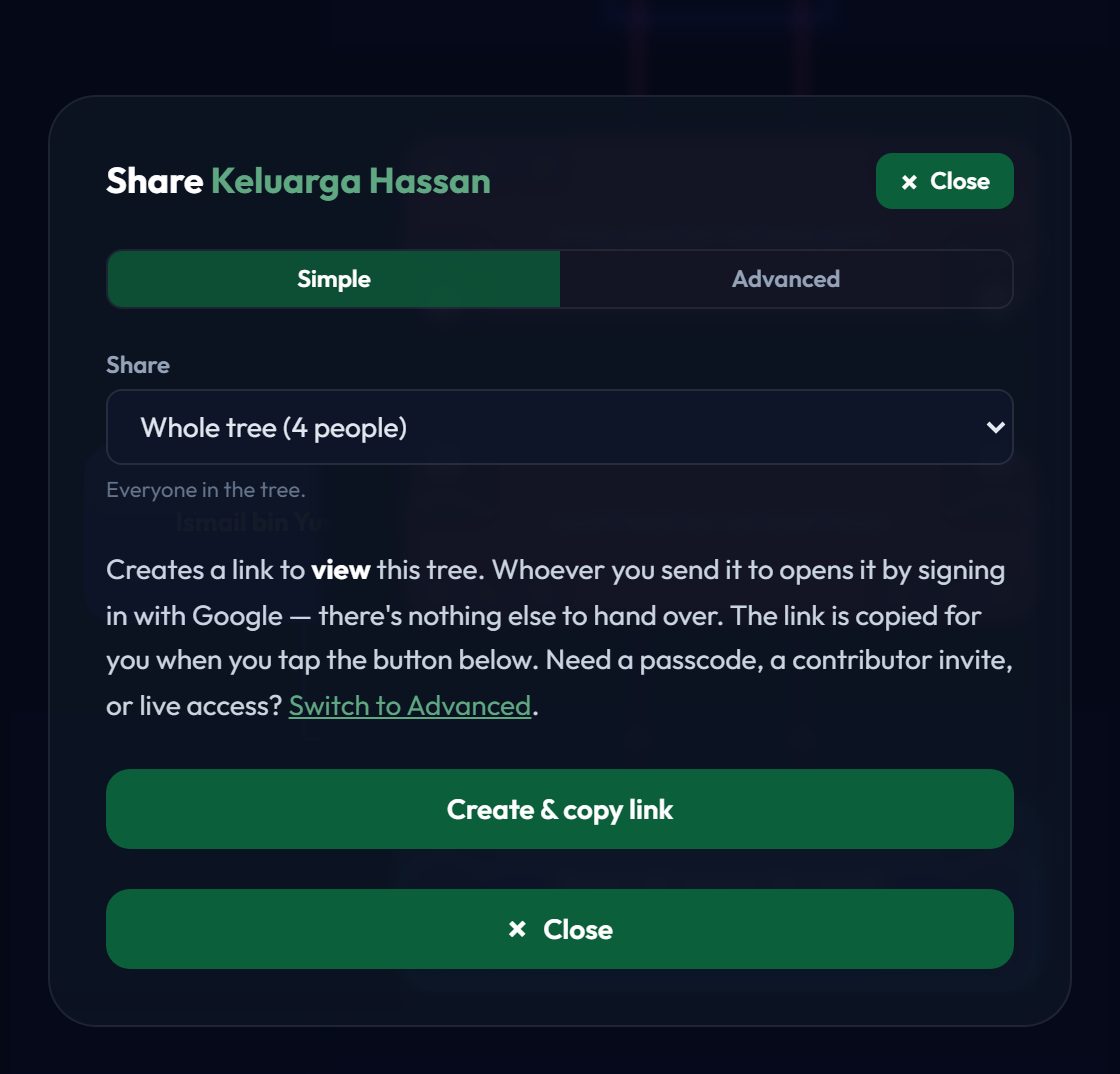
Creates a link that lets someone see the tree without an account of their own. You choose how much to send — the whole tree, just the current view, or one person's bloodline — and can protect it with a passcode and an expiry date.
Sharing starts here, inside the tree, precisely so you can see what you are sending before you send it.
Faraid, and telling us things
Faraid
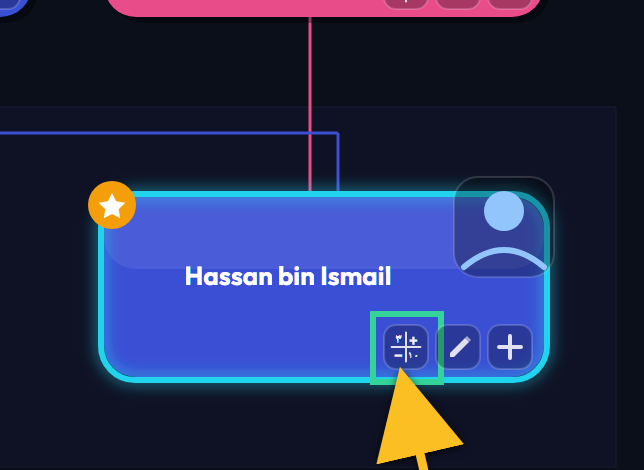
The small button on a person's card opens the Faraid calculator with them as the deceased, and works out each heir's share from the relatives recorded in the tree. K does the same for the highlighted card.
It reads the tree; it never edits it. If an heir looks wrong, the fix is in the tree — check gender, living/deceased status, and the Include in faraid flag.
Report a problem
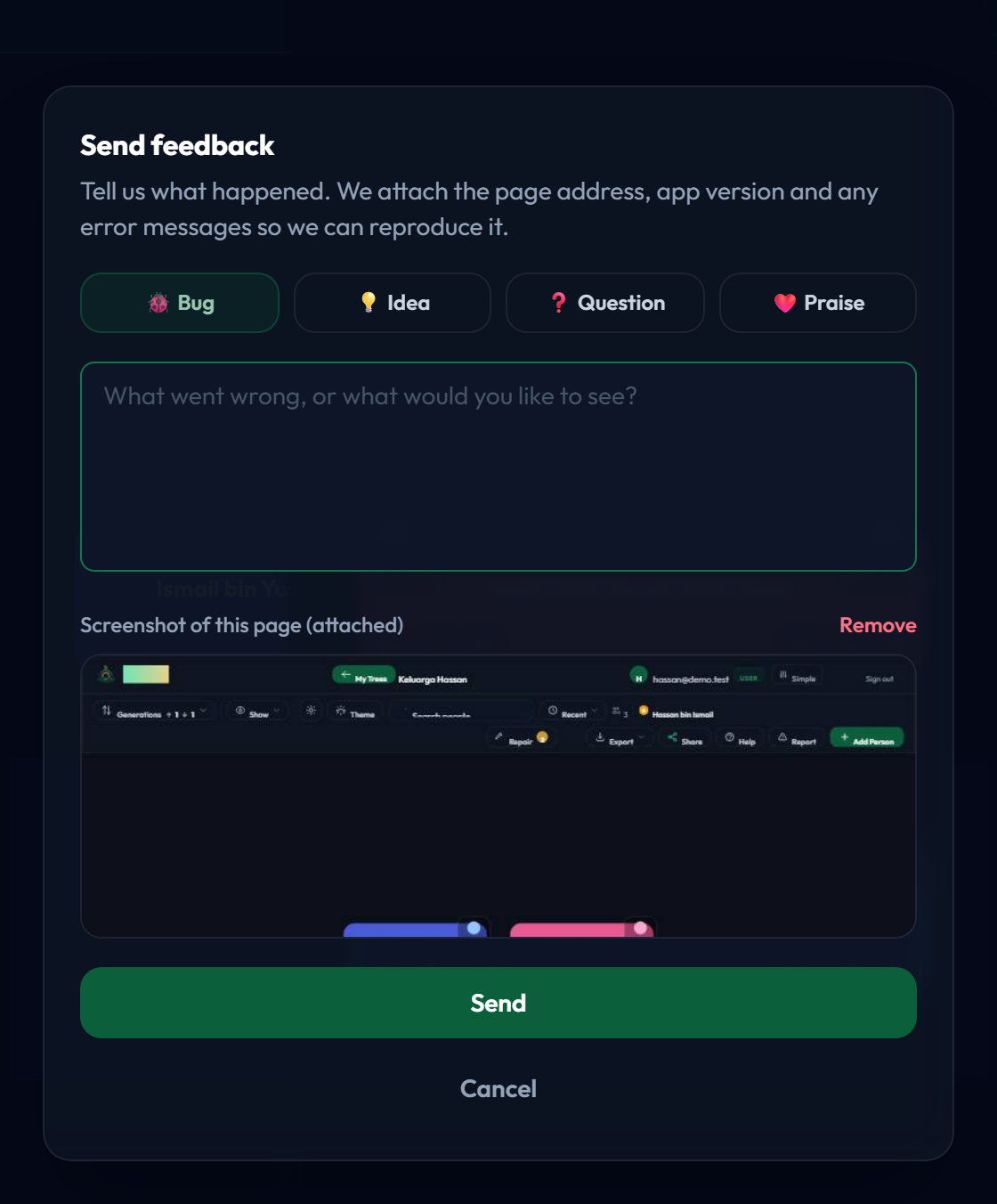
Describe what happened and send it. The report carries the page you were on, so you do not have to explain where you were.
Worth using for anything that looked wrong, not only for errors — wording that confused you is a problem too.
That's the whole tree workspace
Six guides cover it end to end: getting around, choosing who you see, adding people, editing a person, family relationships, and this one.
All six are listed in Essentials, and any of them can be opened from the Help panel inside the tree.