Choosing who you see
A tree of two hundred people is unreadable all at once. These controls decide which relatives are drawn and what each card shows — and none of them add, remove or change anybody. Second of six guides to the tree workspace.
Three controls, one job
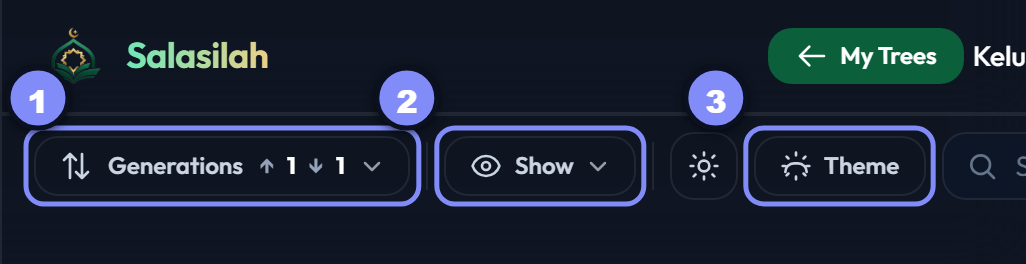
Everything in this guide lives in three toolbar controls:
- Generations — how many rows up and down from the subject.
- Show — which relatives get drawn, and what appears on each card.
- Theme — colours, and the light/dark switch beside it.
How far the tree reaches
The generations window
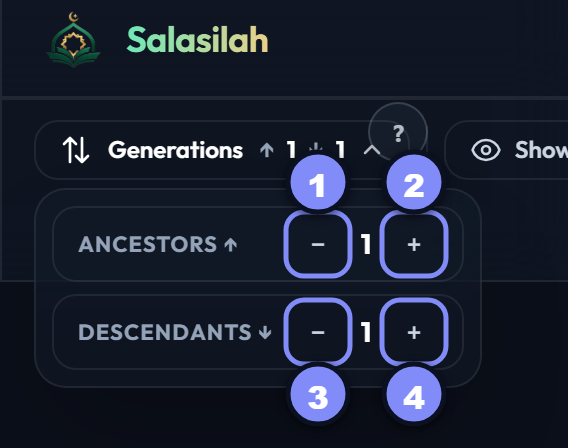
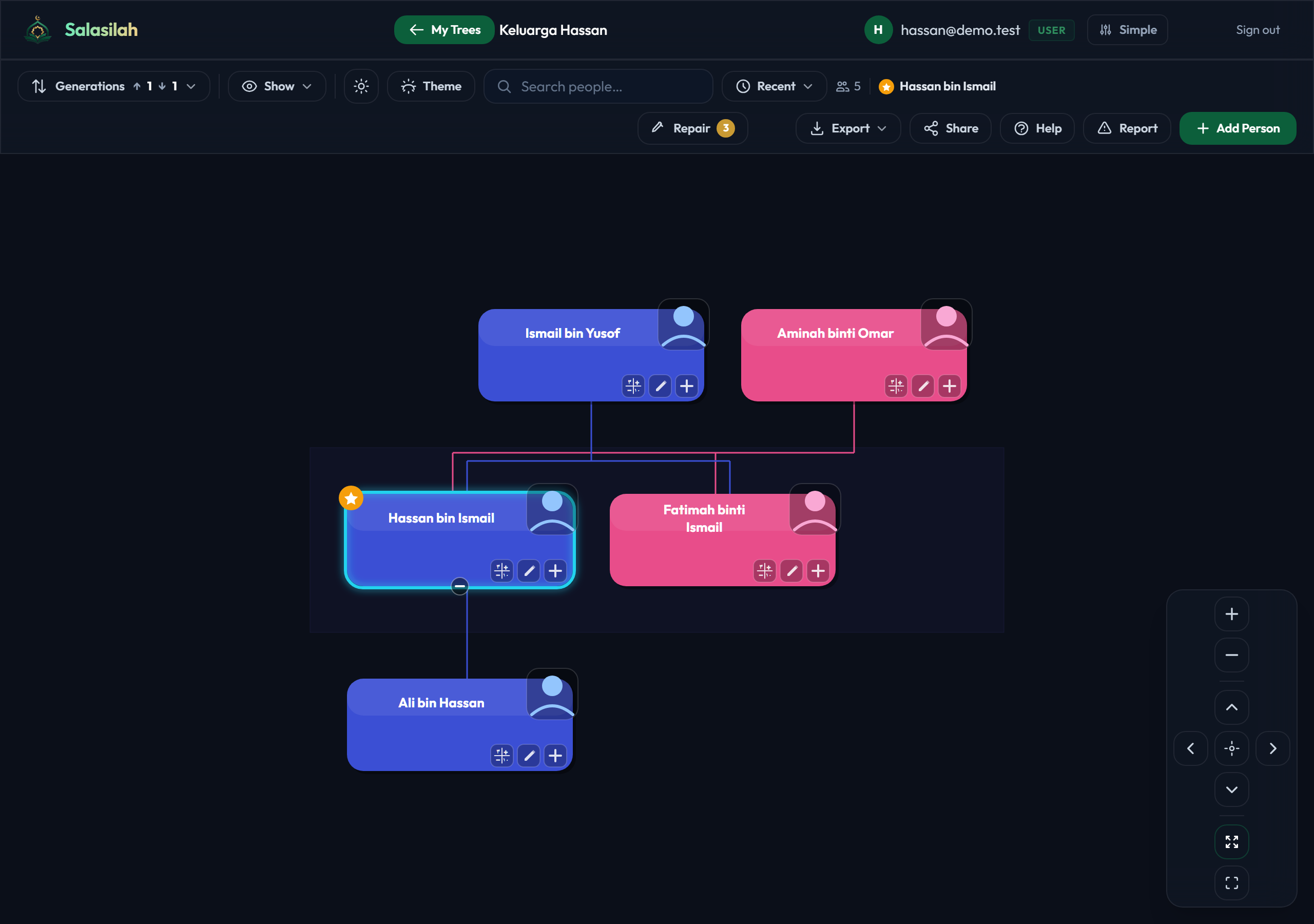
The pill reads ↑ 1 ↓ 1 — one generation of ancestors above the subject, one of descendants below. Click it for the two steppers.
This is a window onto the tree, not a limit on it. Widening it never adds people; it just draws more of the ones already there.
More or fewer ancestors
Each + reaches one more generation up — parents, then grandparents, and so on. U on the keyboard does the same, Shift+U goes back down.
More or fewer descendants
The same, downwards: children, grandchildren, and so on. D and Shift+D on the keyboard, or the number keys 0–7 to jump straight to a depth.
Which relatives are drawn
The Show menu
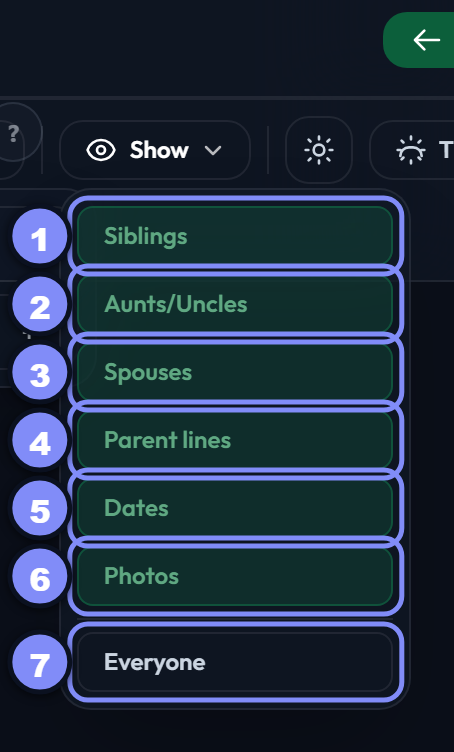
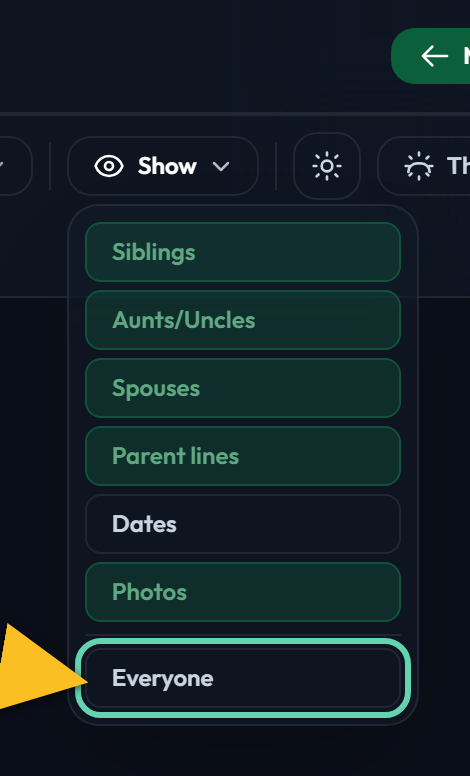
Seven switches. The first four decide who appears, the next two what's on each card, and the last one abandons the window entirely.
Each is remembered for this tree, so the view you like is waiting next time.
Siblings
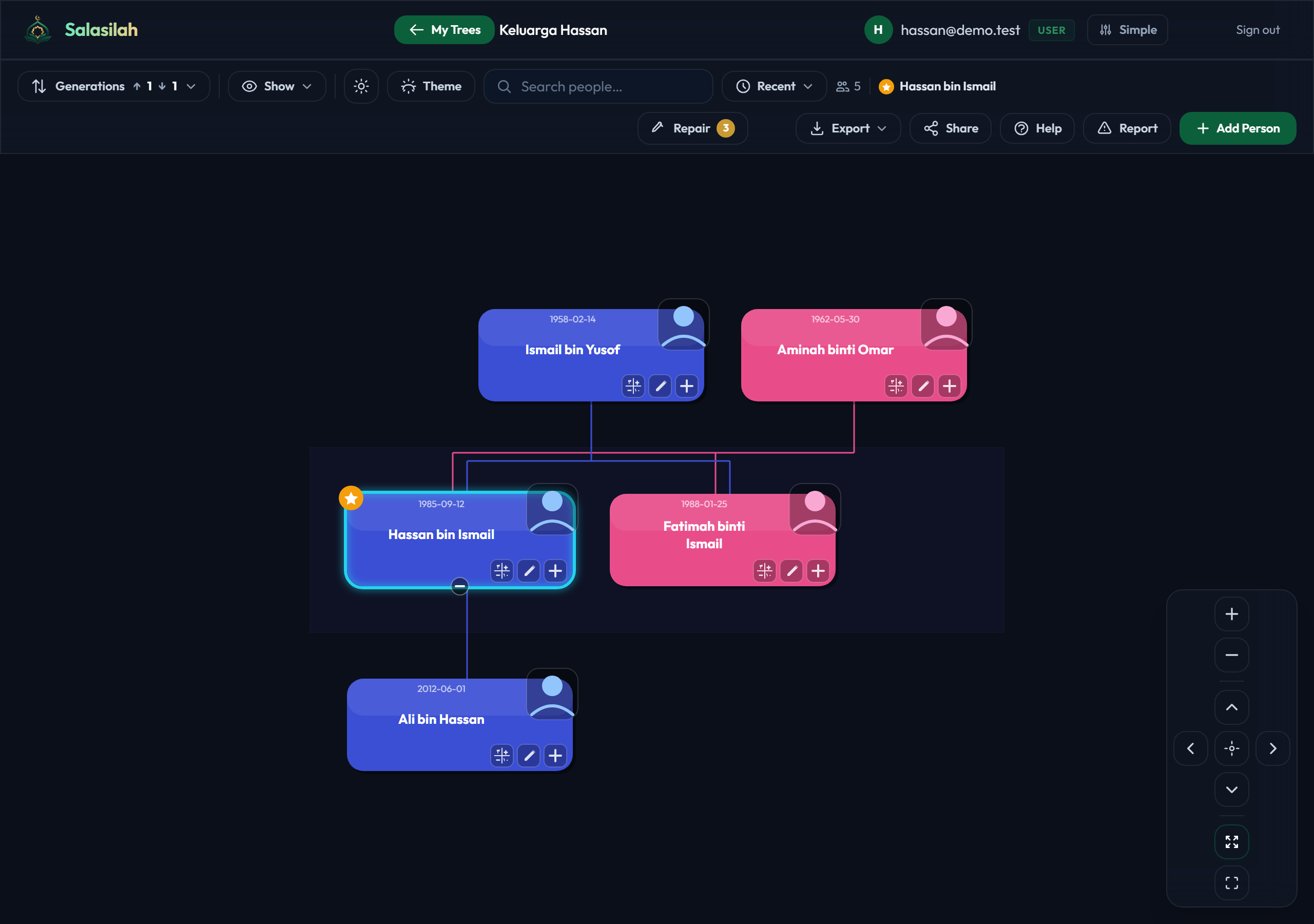
Draws the subject's brothers and sisters beside them. Off, you follow a single line of descent — much narrower, and far easier to read on a big family.
Aunts and uncles
The same idea one generation up: the siblings of the subject's parents. This is usually the switch that turns a readable tree into a wide one, so it's the first to turn off when things get crowded.
Spouses
Draws husbands and wives next to the people they married. Off, only blood relatives are drawn — which is often what you want when tracing a lineage.
Parent lines
Draws a line from each child to both parents rather than one. More accurate, and busier — on a tree with several marriages the lines can cross a lot.
What each card shows
Dates
Adds birth and death years under each name. Useful when two relatives share a name, and for spotting a date that can't be right.
Cards grow taller with dates on, so the tree needs more room.
Photos
Shows each person's photo on their card, or a silhouette where there isn't one. Turn it off for a denser, text-only tree.
Everyone
Ignores the generations window and draws the whole connected family around the subject at once — every person reachable by any relationship.
How it looks
Light or dark
The sun/moon button switches the whole app between light and dark. Remembered per browser, and it applies everywhere, not just this tree.
Colour theme
Changes the card colours for this tree. Unlike everything else in this guide, the theme is saved with the tree — so anyone you share it with sees the colours you chose.